
Get started with PBX
Your first workout in PBX
Set up your account, write a session, and see what your athlete logs. Here's how it works from the coach's side.
See the four steps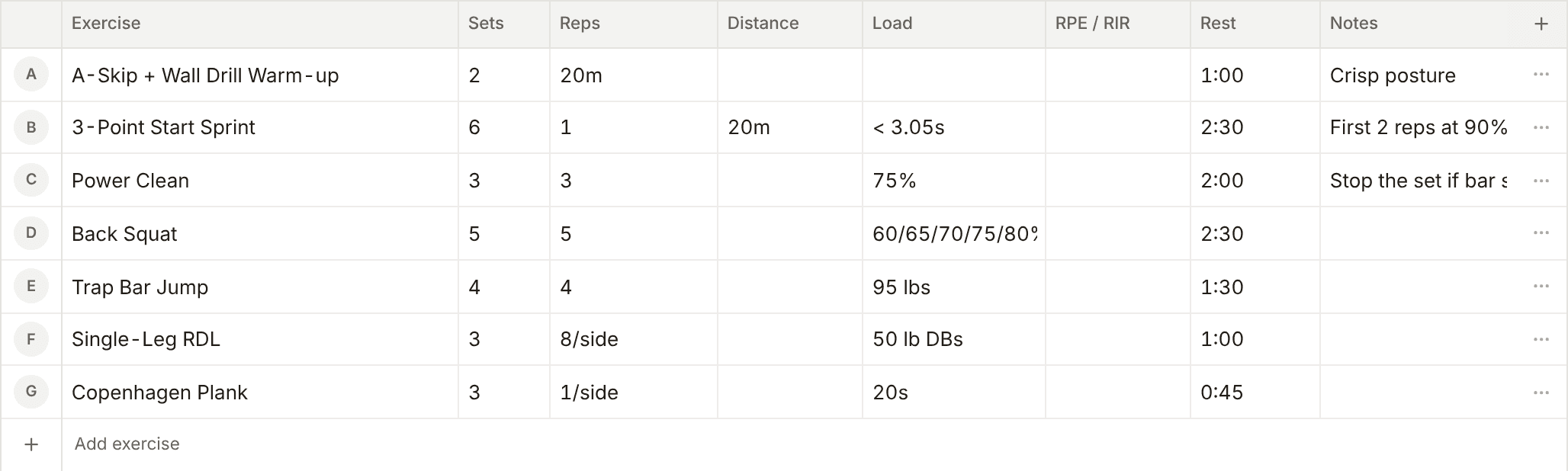
From signup to your first session
Create your coach account
Start with a 14-day trial. You don't need a card to sign up.
Build your first workout
Enter exercises, sets, reps, and loads in the workout grid. If you already have a program, import it from a PDF, photo, or document and review it before publishing.
Invite an athlete
Add an athlete to your roster and send their invite link. They set up their account, open their assigned workout on their phone, and log each set.
Review what they logged
Check the reps, loads, and notes from the completed session. Use what they logged to adjust the next workout.
Try it with your own programming
Use the 14-day trial to see how PBX fits your roster. Choose a plan when you're ready to keep coaching.